Why ‘cd' is a Shell Built-in and Not Just a Program
Why ‘cd' is a Shell Built-in and Not Just a Program
When you type ‘cd’ in your terminal to change directories, it seems simple enough, but under the hood, it’s a little more nuanced than running a regular program. Understanding why ‘cd’ is a shell built-in requires a look into Unix history, process, behavior, and the way shells manage their environment.
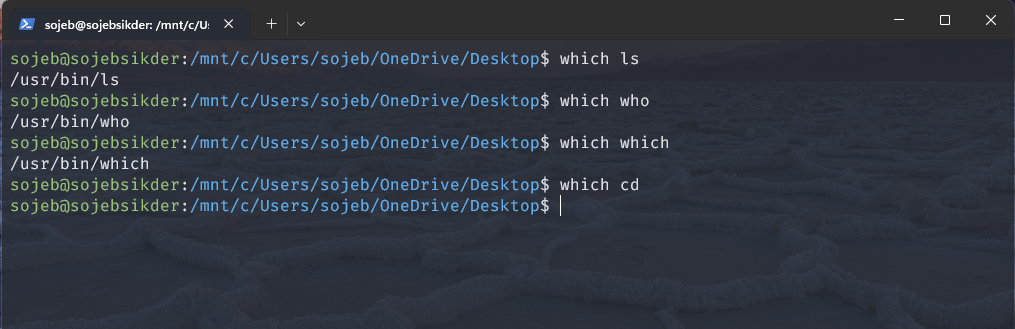
Every process in an operating system has a current working directory (CWD). This directory is a property unique to each process, and most programs inherit the CWD from the process that launched them.
When you think about ‘cd’ as a standalone program, the process flow would look like this:
- You type ‘cd /var’
- The operating system starts a new ‘cd’ process.
- The ‘cd’ process changes its own current directory.
- The ‘cd’ process exits.
- Your shell remains in the same directory it was before, you haven’t moved anywhere.
So, if ‘cd’ were just an external program, it couldn’t achieve the intended effect of changing your shell’s directory.
POSIX and the External ‘cd’ Program
Interestingly, POSIX-compliant systems are required to provide an independent ‘cd’ executable. This might seem counterintuitive, since such an external program can’t really change your shell’s directory. Its purpose is limited: it may exist to check arguments, produce error messages, or support special cases - but this real directory change must happen inside the shell itself.
For example:
find . -type d -exec cd {} \;
On a POSIX system, this one-liner will attempt to ‘cd’ into each directory found by ‘find’. In most Linux distributions will report an error like:
find: `cd': No such file or directory
This illustrates that the external ‘cd’ is generally ineffective for interactive shell use.
Historical Context: Dennis Ritchie on ‘chdir’
Dennis Ritchie, one of the original creators of Unix, explained why ‘cd’ become a shel built-in:
“In the old system, ‘chdir’ (change directory) was an ordinary command. Under the new system, ‘chdir’ correctly changed the current directory of the process created to execute it, but this process promptly terminated and had no effect whatsoever on its parent shell! It was necessary to make ‘chdir’ a special command, executed internally within the shell.”
Before the introduction of ‘fork’, commands ran in the same process as the shell. After ‘fork’, commands run in child processes. Changing the directory in a child process has no effect on the parent shell, hence the need for built-in implementation.
Other commands with similar behavior include ‘exit’, which must manipulate the shell directory to have an effect.
Shell Built-ins: Beyond ‘cd’
‘cd’ is not unique in being a shell built-in. Shells provide a small set of built-in commands that are impossible or inconvenient to implement as separate utilities, including:
- ‘break’ and ‘continue’ - continue flow within loops.
- ‘exec’ - replaces current process without forking.
- ‘history’, ‘getopts’, ‘kill’ - while these could exist as program, built-in versions integrate more closely with the shell.
The Bash manual explains:
“Shells also provide a small set of build-in commands implementing functionality impossible or inconvenient to obtain via separate utilities.”
In short, built-ins exist for efficiency, usability, and functionality that external programs simply cannot achieve in the shell environment.